
At its core, the main difference is simple: TypeScript is JavaScript with an added layer of static type-checking. Think of it as a protective shell around your code. This lets you spot and fix entire classes of errors while you're still writing the code, not after it's shipped to users. This makes for more predictable and stable code, especially as applications get bigger.
JavaScript, on the other hand, is all about dynamic flexibility. Its nature allows for quick iteration and prototyping, which is perfect for smaller projects or when you just need to get something running fast.
Why Compare TypeScript vs JavaScript Today
In the world of web development, the choice between JavaScript's dynamic freedom and TypeScript's structured safety isn't just a technical detail—it's a strategic one. For years, JavaScript was the undisputed king of the web, loved for its universal browser support and simple syntax that let developers build interactive experiences quickly.
But as web applications ballooned in size and complexity, JavaScript’s lack of a type system started to show its cracks. Maintaining and scaling large JS codebases became a genuine challenge. This is the exact problem TypeScript, a project from Microsoft, was designed to solve by adding an optional, but powerful, layer of static typing right on top of the JavaScript you already know.

The Rise of a New Standard
The developer community has been steadily moving toward type-safe languages, and the numbers don't lie. In a huge shift, TypeScript overtook both Python and JavaScript in August 2025 to become the most-used language on GitHub for the first time. This marked a major turning point after JavaScript had held the top spot for over a decade.
According to GitHub's Octoverse 2025 report, TypeScript's usage exploded with a massive 66% year-over-year (YoY) growth, blowing past JavaScript's 24.8%. You can dig into the full GitHub report on developer trends and language adoption to see the data for yourself.
This comparison isn't about crowning a winner. It’s about helping you make the right call for your project's unique needs. The table below breaks down the key trade-offs at a glance.
Consideration | JavaScript (Dynamic Flexibility) | TypeScript (Structured Safety) |
|---|---|---|
Project Scope | Ideal for small projects, scripts, and rapid prototypes. | Better for large, complex applications requiring long-term maintainability. |
Error Detection | Errors are found at runtime, which can impact users. | Catches type-related errors during compilation, before code is run. |
Developer Experience | Simple setup with no compilation step, allowing for faster iteration. | Superior tooling, autocompletion, and safer code refactoring. |
Understanding The Core Language Differences
The biggest difference between TypeScript and JavaScript boils down to one core concept: how they handle data types. It’s the philosophical divide that informs everything else.
JavaScript is dynamically typed. What does that mean? The type of a variable isn't checked until your code is actually running in the browser (at runtime). This gives you a ton of flexibility, which is great for whipping up prototypes and getting ideas off the ground quickly without the upfront ceremony of defining every little thing.
But that freedom has a dark side. It's incredibly easy for subtle, sneaky bugs to creep into your code and go completely unnoticed until a real user stumbles upon them. A function that expects a number might get a string, and instead of a clean calculation, you get a weird concatenation. We’ve all been there, scratching our heads over bugs that should have been obvious.
TypeScript, on the other hand, is statically typed. Think of it as a smart, protective layer built on top of JavaScript. It asks you to declare the types for your variables, function parameters, and what your functions return. All this information is checked when you compile your code—long before it ever sees a browser. It’s a safety net that catches an entire class of errors right in your editor.
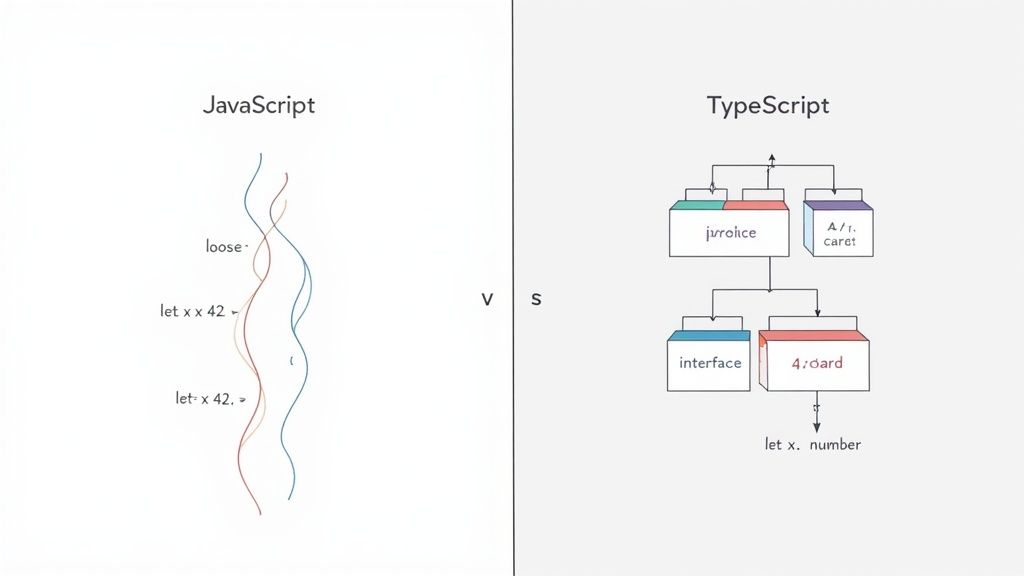
Dynamic vs. Static Typing: A Practical Example
Let’s make this concrete. Imagine a simple function to calculate the total price of an item. In JavaScript, you might write something like this.
JavaScript Example (Dynamic Typing)
function calculateTotal(price, quantity) {
// This could easily return "1002" instead of 200 if quantity is "2"
return price * quantity
}
let total = calculateTotal(100, "2") // No error happens here, but the result is wrong
console.log(total) // Outputs NaN, a classic runtime bugJavaScript tries its best but ends up with NaN (Not-a-Number). The code doesn't crash, it just fails silently. This kind of bug can sit dormant for weeks, causing weird UI glitches or even messing up financial data before anyone notices.
Now, let's see how TypeScript stops this dead in its tracks.
TypeScript Example (Static Typing)
function calculateTotal(price: number, quantity: number): number {
return price * quantity
}
// This line will light up with a compile-time error instantly
let total = calculateTotal(100, "2")
// Error: Argument of type 'string' is not assignable to parameter of type 'number'.The moment you type that line, TypeScript’s compiler—right inside your code editor—starts screaming. It tells you immediately that you’re passing a string where a number is expected. You’re forced to fix the bug before the code is even allowed to become JavaScript. You can explore more advanced examples like this in our guide for building a visual code comparison component.
This "shift-left" philosophy is the heart and soul of TypeScript. It yanks bug detection out of the chaotic, unpredictable world of runtime and puts it squarely in the controlled environment of your development phase. That saves a massive amount of time and prevents real-world production headaches.
Diving Deeper: The Power of TypeScript's Type System
TypeScript's value proposition goes way beyond just adding :number or :string to your code. It introduces a rich set of tools that help you build robust, self-documenting, and readable applications—features that are completely absent in plain JavaScript.
Let's quickly look at some of the fundamental differences that really matter on large projects.
This table provides a high-level overview of where each language stands on key features.
Core Feature Comparison: JavaScript vs. TypeScript
| Feature | JavaScript | TypeScript |
|---|---|---|
| Typing | Dynamic: Checked at runtime. Flexible but error-prone. | Static: Checked at compile-time. Catches errors early. |
| Type Definitions | Not available. Types are inferred at runtime. | Interfaces, Types, Enums for explicit definitions. |
| Tooling | Good editor support, but limited static analysis. | Excellent autocompletion, refactoring, and error-checking. |
| Compilation | Not needed. Runs directly in the browser or Node.js. | Requires a compilation step to transpile to JavaScript. |
| Advanced Features | Lacks generics, decorators, and advanced type inference. | Rich support for Generics, Enums, Mixins, and more. |
This structured approach is what truly separates the two, allowing TypeScript to scale in ways that become painful with JavaScript.
Some of the most powerful constructs TypeScript gives you are:
- Interfaces: These let you define the "shape" of an object, creating a strict contract for your data. This is a lifesaver when working with complex API responses or component props.
- Enums: They provide a way to create a set of named constants. This makes your code infinitely more readable and prevents bugs from simple typos (think
Status.Publishedinstead of a "magic string" like"published"). - Generics: This is where things get really powerful. Generics let you create reusable functions, classes, or components that can work with a variety of types while still maintaining full type safety.
This isn't just a niche preference anymore; it's a massive industry shift. The 2024 State of JS survey found that 80% of developers are now using TypeScript. This isn't just hype—it's a direct response to the pain of managing large JavaScript codebases. Teams are tired of the constant threat of runtime errors. Data backs this up, showing that typed codebases have 15-50% fewer defects and require 20-30% fewer debugging hours. You can get more context on this trend from this detailed analysis of developer surveys. It’s clear the community has made a choice: stability and long-term maintainability are winning.
How Tooling Defines The Developer Experience
Beyond type safety, one of the biggest typescript vs javascript differences comes down to the developer experience (DX) delivered by their tooling. TypeScript doesn't just bolt on types; it fundamentally changes how you write and interact with your code, essentially turning your editor into an intelligent co-pilot. This tight integration is a massive reason why so many developers are making the switch.

With TypeScript, all that rich type information does more than just catch errors. It powers a suite of incredibly precise development tools right inside editors like VS Code. Features that feel almost magical—like hyper-accurate autocompletion, intelligent "go-to-definition," and safe, automated refactoring—are all possible because your editor understands the exact shape of your data.
The Integrated TypeScript Environment
TypeScript's tooling feels so cohesive because the language and the tools were built to work together from day one. The TypeScript compiler (tsc) is way more than just a transpiler; it’s a powerful static analysis engine that has a complete understanding of your entire project.
This synergy creates a seamless workflow with immediate feedback. If you try to call a method that doesn't exist on an object or pass the wrong type of argument to a function, your editor flags it instantly. This prevents a whole class of bugs from ever making it to runtime and dramatically boosts both productivity and confidence.
For developers, this means spending less time hunting through files or manually tracing how data flows. The editor becomes a reliable source of truth, guiding you toward correct code and making large-scale changes feel much less risky.
In contrast, getting a similar level of code intelligence in a plain JavaScript project requires a more fragmented approach. You have to assemble and configure a collection of separate tools just to replicate what TypeScript gives you out of the box.
The JavaScript Tooling Mosaic
In the JavaScript world, developers lean on a combination of tools to enforce quality and streamline their workflow. The typical stack includes:
- Linters like ESLint: To catch common coding mistakes and enforce style guides.
- Formatters like Prettier: To keep code formatting consistent across the team.
- JSDoc comments: To manually annotate code with type information, hoping the editor can parse it for better autocompletion.
While these tools are powerful, they all operate as separate entities. Getting them to play nicely together takes careful configuration, and the insights they provide can never match the depth of a language with a built-in type system. JSDoc helps, for sure, but it's verbose and just not as reliable as native TypeScript for describing complex data structures.
For an example of how specific styling tools can enhance the DX within the JavaScript ecosystem, check out this guide on using Tailwind CSS with React Native. It’s a great setup, but it also highlights the need to manually integrate distinct tools to build a productive environment.
The real difference here is integration versus assembly. TypeScript provides a deeply integrated tooling experience where the language server has a complete, accurate picture of your codebase from the start. JavaScript requires you to build that experience yourself by piecing together linters, formatters, and annotation systems, which often leads to more config overhead and less precise feedback. That integrated approach is a compelling reason why so many teams choose TypeScript for building scalable applications.
Diving Into Compilation and Performance
One of the most common points of confusion in the TypeScript vs. JavaScript debate is what happens with compilation and performance. Many developers hear "compile step" and immediately worry about a slower workflow or, even worse, a hit to their app's runtime speed. But the reality is a lot more nuanced, and modern tooling has made most of these concerns a thing of the past.
The most important thing to get straight is that TypeScript has zero direct impact on runtime performance. Your TypeScript code never actually runs in the browser or on a server. It gets transpiled into clean, standard, readable JavaScript first. The code that’s finally executed is just plain old JavaScript, so it runs exactly as it would if you’d written it by hand.
The real conversation, then, isn't about the executed code. It’s about build-time performance—the time it takes for the TypeScript compiler to check all your types and turn your .ts files into .js files.
How TypeScript Compilation Evolved
For a while, this build step could be a real bottleneck. In the early days, massive enterprise projects with hundreds of thousands of lines of code could see compilation times drag. The original TypeScript compiler (tsc) was written in JavaScript, and while it worked, it could definitely start to chug on a huge codebase. This led to longer waits during development and in CI/CD pipelines.
This created a very real trade-off: was the safety net of types worth the slower feedback loop? It was a legitimate question that sometimes led teams to stick with JavaScript and its ecosystem of separate linters and tools.
The game changed when the ecosystem shifted its focus to high-performance, next-generation tooling. Development has accelerated dramatically, all aimed at keeping the developer experience fast and fluid, even on the biggest projects.
These new tools have all but erased the compilation overhead, making the decision to adopt TypeScript a whole lot easier. We've moved from JavaScript-based compilers to much faster alternatives written in native languages.
The Modern Compiler Speed Revolution
The big breakthrough came from compilers written in languages like Rust and Go, which do the same job as tsc but in a tiny fraction of the time. Tools like SWC (Speedy Web Compiler) and esbuild quickly became mainstays in modern dev stacks because they are unbelievably fast.
This speed revolution hit a new high in 2025. One of the most significant recent typescript vs javascript differences is the arrival of TypeScript’s own native compiler, tsgo. As outlined in TypeScript 7.0, tsgo delivers up to 10x faster type-checking than the old JavaScript-based tsc. For a massive codebase like Sentry’s, tsgo slashed compilation time from 133 seconds down to just 16.25 seconds—that's an 8.19x speedup. VSCode saw an even bigger improvement, going from 89.11 seconds to a mere 8.74 seconds, a 10.2x gain. You can dig into all the benchmarks and technical details in the official TypeScript 7.0 progress report.
This means that today, the compilation step just isn't the barrier it once was. The performance comparison now looks like this:
- Runtime Performance: Identical. TypeScript becomes JavaScript, so there's no difference for the end-user.
- Build-Time Performance: It used to be a drawback for TypeScript, but that problem is largely solved. Modern native compilers have made the process so quick it’s barely noticeable in the daily workflow.
So, while TypeScript introduces a compile step that plain JavaScript doesn’t have, the tooling has caught up and eliminated the performance penalty. Teams can now get all the advantages of type safety—fewer bugs, easier maintenance, and incredible editor support—without giving up the fast feedback loop that keeps developers productive.
Navigating The Ecosystem And Library Support
A language's real-world power often boils down to its community and the libraries you can use with it. Because TypeScript is a superset of JavaScript, it automatically inherits the entire npm ecosystem—the largest package registry on the planet. This means you can pull virtually any JavaScript library into a TypeScript project.
But this seamless integration also highlights one of the key typescript vs javascript differences you'll face day-to-day. The question isn’t if you can use a library; it’s how you get type safety when you do.
The Role Of Type Definition Files
To bridge the gap between TypeScript’s typed world and JavaScript’s untyped one, the community created type definition files. These files, which end in .d.ts, act like a blueprint. They describe the shapes and function signatures of a JavaScript library's code without ever touching the original source.
This is where the DefinitelyTyped repository becomes your best friend. It’s a massive, community-driven project hosting type definitions for thousands of popular JavaScript packages. If you install a library that doesn't ship with its own types, you can usually just install its corresponding @types package from npm. Just like that, TypeScript understands how to work with it.
This community effort is the backbone of TypeScript's ecosystem compatibility. It lets developers adopt TypeScript without ditching their favorite JavaScript tools, wrapping a safety net around code that wasn't originally built with types.
Native Support vs. Community Types
As TypeScript has exploded in popularity, the ecosystem has matured. You'll now run into two common scenarios when working with third-party libraries, and each offers a slightly different developer experience.
-
Libraries with Native TypeScript Support: The best-case scenario. Many modern libraries are now written directly in TypeScript. These packages bundle their own
.d.tsfiles, giving you a first-class, typed experience right out of the box. The definitions are guaranteed to be accurate and up-to-date because they’re generated from the same source code. -
Libraries with Community-Provided Types: For older or JavaScript-native libraries, you'll lean on the
@typespackages from DefinitelyTyped. These are incredibly valuable, but they're maintained by volunteers. Occasionally, this means types might be slightly out of sync with a library's latest version, or you might find missing definitions for more obscure features. In rare cases, you might even have to write your own type definitions to fill a gap.
All the major frontend frameworks—React, Angular (which is built with TypeScript), and Vue—have robust, built-in support for TypeScript. This ensures a smooth, fully-typed workflow from the start when you're using the industry's most popular tools. For developers working in the React ecosystem, understanding how different components handle types is crucial. You can explore a curated list of popular React libraries and see for yourself how many now prioritize native TypeScript support.
Ultimately, TypeScript’s brilliant strategy for integrating with the existing JavaScript world is one of its greatest strengths. You might have to manually manage type definitions here and there, but the vast majority of the ecosystem is well-supported, giving you access to an enormous collection of tools with the added confidence of type safety.
How To Choose The Right Language For Your Project
Turning a detailed comparison into an actual decision takes a clear framework. When you're weighing TypeScript against JavaScript, it's never about which one is "better" in a vacuum. It's about which is the right tool for the job you have right now. The choice really boils down to your project's scope, the team you're working with, and your long-term goals.
JavaScript's dynamic nature makes it a fantastic pick when you need to move fast. It absolutely shines in situations where getting something built quickly is more important than having a rigid structure from day one.
- Small personal projects and scripts: For a simple portfolio or a quick utility script, the overhead of setting up TypeScript just doesn't make sense.
- Rapid prototyping: When you need to throw together a proof-of-concept, JavaScript lets you see your changes instantly without a compile step getting in the way.
- Environments with limited build tools: For simple websites or snippets, vanilla JavaScript runs straight in the browser with zero extra configuration.
On the other hand, TypeScript starts to feel essential as a project grows in complexity and more people get involved. Its static typing is a safety net that pays for itself over and over again.
When TypeScript Is The Strategic Choice
TypeScript is the clear winner for projects where maintainability and scalability are the top priorities. The initial effort of defining types creates a solid foundation, preventing whole categories of bugs and making the code far easier for everyone to understand.
You should seriously consider TypeScript in these scenarios:
- Large-scale enterprise applications: For complex systems with tons of moving parts, TypeScript’s strict contracts are what keep things stable.
- Open-source libraries: If you're building tools for other developers, providing clear type definitions is a must for adoption and usability.
- Collaborative team projects: In a team, TypeScript acts as living documentation. It makes it much easier for developers to work together without stepping on each other's toes.
As you weigh your options, think about how each language fits into your workflow. This decision will touch everything from daily coding to high-level strategy, influencing the distinction between project management and product management by shaping both immediate deliverables and the product’s future.
The core decision comes down to a trade-off: Are you optimizing for initial development speed or for long-term project health and scalability? Answering this question honestly will almost always point you to the right language.
Making A Practical Decision
To help you visualize the path forward, especially regarding dependencies, here’s a decision tree. It helps you think through whether the libraries you need have native types, community-supported types, or if you'll need to roll your own.
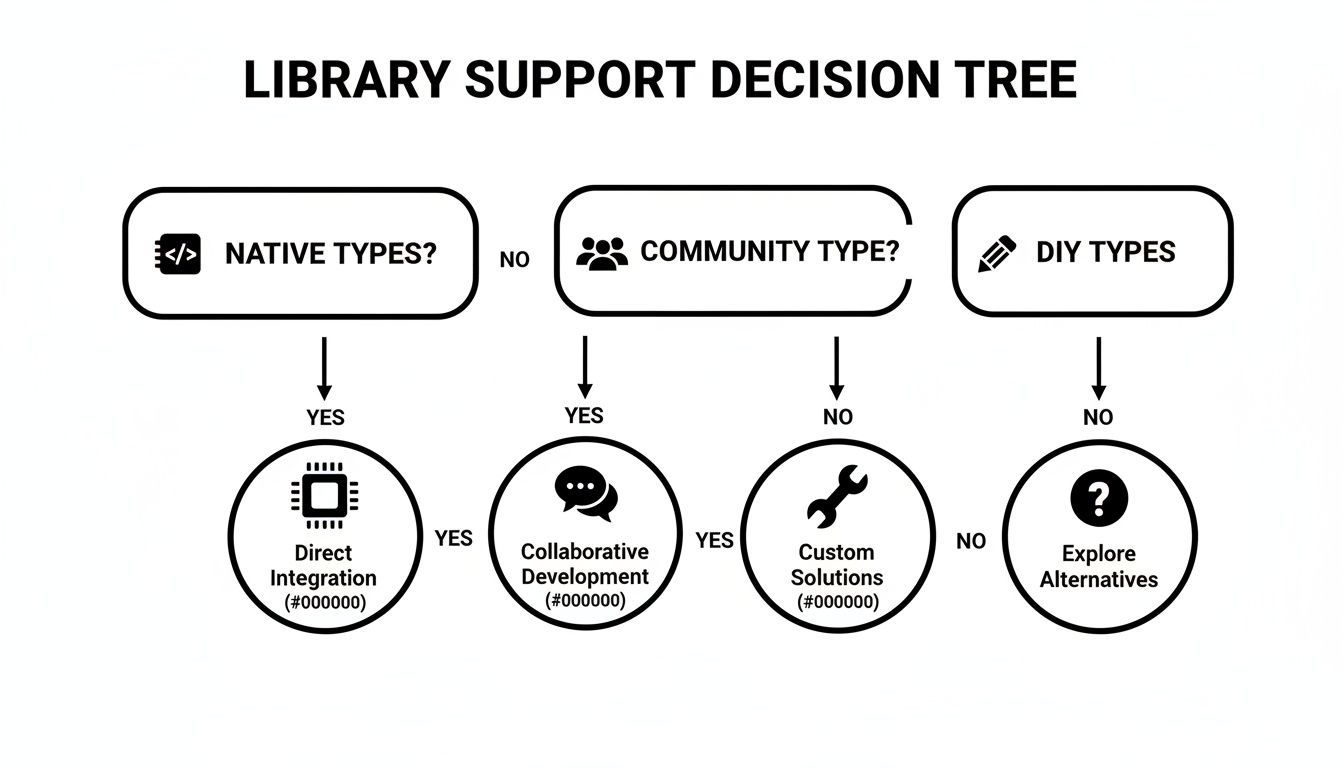
This flow shows that even if a library doesn't have official support, there are clear paths to integrating it effectively into a TypeScript project.
Making the right technology choice at the start is a critical step in building a successful application. For a deeper dive into this topic, check out our guide on how to choose a tech stack at https://magicui.design/blog/how-to-choose-tech-stack.
Frequently Asked Questions
When you're weighing TypeScript against JavaScript, a few key questions always seem to pop up. Let's tackle the most common ones developers ask when they're trying to decide which tool is right for the job.
Is TypeScript Replacing JavaScript?
Not at all. Think of TypeScript as a superset of JavaScript, not a replacement. It builds directly on top of JavaScript, which means every valid .js file is also a valid .ts file right out of the box.
The real relationship here is one of enhancement. TypeScript adds a robust type-checking layer that catches errors during development, long before your code ever hits the browser. When you're done, it compiles right back down to plain, universal JavaScript.
Can I Use TypeScript For Frontend and Backend?
Absolutely, and this is one of its biggest selling points.
- Frontend: All the major frameworks—React, Angular, Vue—have first-class TypeScript support. It's pretty much the standard for building complex, scalable user interfaces these days.
- Backend: With Node.js, you can leverage TypeScript to build resilient, maintainable server-side applications. Some frameworks, like NestJS, are even built entirely with TypeScript in mind.
This lets your team use a single, type-safe language across the entire stack. That means more consistent code and less mental gymnastics from switching between different languages.
Does TypeScript Make My Application Slower?
Nope. TypeScript has no impact on the runtime performance of your application. The type-checking is a development-time-only process. It happens before the code is even run.
What you deploy is optimized JavaScript that runs just as fast as if you'd written it by hand. While there's a compilation step, modern tooling like SWC and tsgo make it so fast you'll barely notice it in your workflow. Your users certainly won't.
Is TypeScript Harder to Learn Than JavaScript?
If you're brand new to static typing, there's a bit of a learning curve. You'll need to get comfortable with concepts like interfaces, generics, and type annotations. But that initial investment pays off fast.
For anyone already familiar with JavaScript, the transition is surprisingly smooth. You can adopt TypeScript gradually—just rename your
.jsfiles to.tsand start adding types where they make sense. The improved autocompletion and error-checking often make developers more productive in the long run.
Ultimately, the ability to write safer, self-documenting code makes learning TypeScript a valuable step for any serious developer.
Ready to build stunning, high-performance UIs with the power of TypeScript? Magic UI offers a comprehensive library of over 50 customizable components and templates built with React, TypeScript, and Tailwind CSS. Accelerate your development and create beautiful landing pages in minutes. Explore our components at https://magicui.design.